

How To Download Media Network App?

How To Download the Media Network App?
Media Network is a modern, secure social media platform that lets you share your thoughts, content, and ideas with the world. If you're looking to download the Media Network app on your smartphone, here are 3 easy and trusted methods to get started.
1. Download via Media Network Website (Play Store Button)
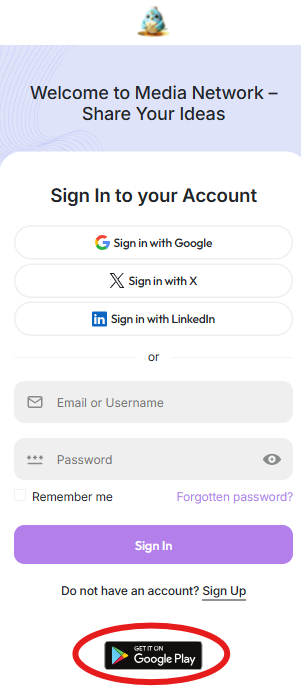
When you visit the official Media Network website and land on the login page, you’ll see a Google Play Store icon.
Clicking that icon will redirect you directly to the Media Network app page on the Google Play Store. From there, you can install the app in just a few taps.
Steps:
-
Go to the Login Page
-
Click on the Play Store icon
-
You’ll be taken to the app page on Google Play
-
Tap Install to download the app

Mobile Screen:
2. Search on Google: “Media Biography Points”
Another way to download the app is by searching on Google.
Here’s how:
-
Open Google and type:
Media Biography Points -
In the search results, you’ll find a link from the Biography Points website with a guide or article related to the Media Network app.
-
Open the article and scroll down to the Download section.
-
There you’ll see the latest version of the app along with download options.
You can easily download the APK file from that section and install the app manually.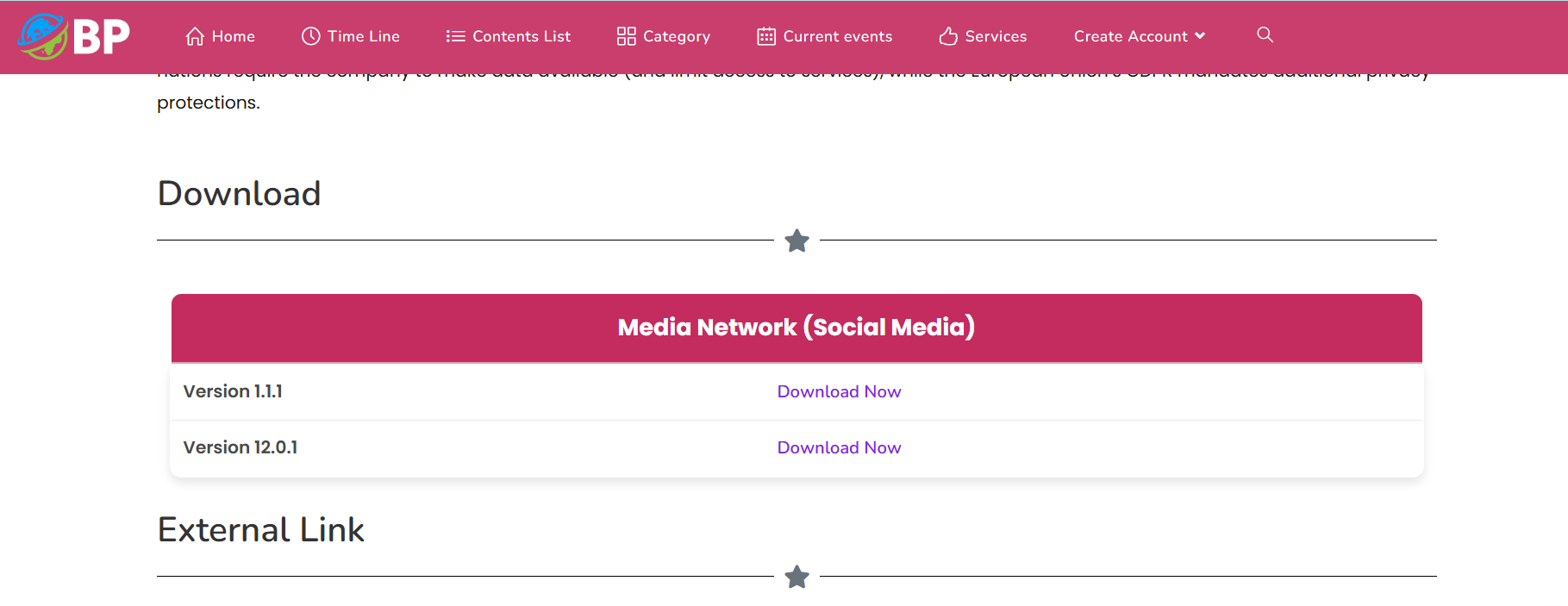
3. Direct Download from the Article Section
The third and fastest method is downloading directly from the article’s download section.
In this method:
-
You visit the article page either from Google or social media.
-
Scroll down to the Download Now button.
-
Once you click, the download will begin automatically.
-
After downloading, simply install the APK file and start using the app.
Note: If you're installing manually, make sure to allow “Install from Unknown Sources” in your phone settings.
Final Thoughts
Downloading the Media Network app is quick and easy. Whether you choose the official website, a Google search, or a direct download, you'll be able to access the platform in just a few minutes.
More features and tools are being added regularly to improve your experience, so stay tuned for future updates.
Install the app today and connect with the world — only on Media Network!

Categories
Read More
📜 Introduction In today’s fast-paced digital world, social media has become an essential part of our lives. From connecting with friends to promoting businesses, social platforms have transformed how we communicate and share information. At the heart of these platforms lies something simple yet powerful — the social media post. Whether it’s a photo on Instagram, a video on...

How To Download the Media Network App? Media Network is a modern, secure social media platform that lets you share your thoughts, content, and ideas with the world. If you're looking to download the Media Network app on your smartphone, here are 3 easy and trusted methods to get started. 1. Download via Media Network Website (Play Store Button) When you visit the official Media Network website...
Introduction If you want to unlock full features on Media Network — like promotions, lotteries, or exclusive options — you need to add money to your wallet. The good news is, it's a very simple process. In this article, you'll learn step-by-step how to add money (or points) to your Media Network wallet safely and easily. Step-by-Step: How to Add Money to Your Wallet Step 1:...
In a world where the internet connects people from every corner of the globe, language should never be a barrier. Social platforms that understand this need naturally attract more diverse, active, and loyal audiences. Media Network is one of those platforms that believes in giving every user a voice in their own language. By supporting a wide range of international languages, Media Network...
📢 Discover the Latest Features on Media Network – Level Up Your Social Experience! If you’re looking for a platform where you can freely share your ideas, stream your moments, and connect with a global community — Media Network has something exciting for you! With its latest updates and fresh features, Media Network is now faster, smarter, and more user-friendly than ever...